How to Set Up and Test Wi2B Wholesale Pricing B2B in Test Mode
Before making your B2B wholesale store live for all customers, we strongly recommend testing your setup. By configuring Wi2B on a duplicated (non-live) theme, you can safely verify your registration form and wholesale pricing without affecting your live storefront.
Follow this step-by-step guide to set up your test environment and run a storefront walkthrough.
Step 1: Duplicate Your Live Theme
To prevent any changes from affecting your active customers, you will set up your testing environment on a draft copy of your theme.
- From your Shopify Admin, click Online Store (this will automatically open the Themes list page).
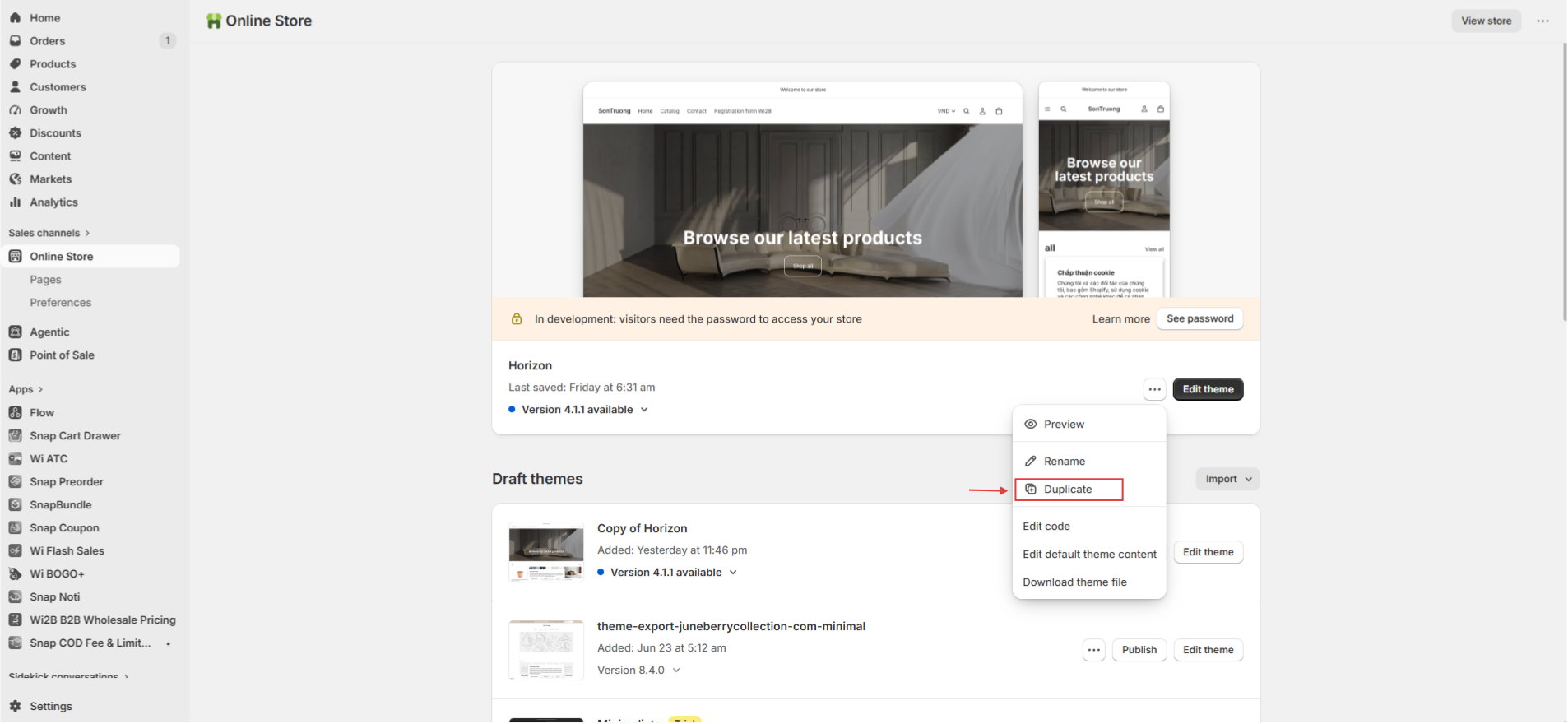
- Locate your current live theme, click the three-dot menu (...) next to the Edit button, and select Duplicate.
- A duplicate copy of your theme will appear in your Draft themes list below with the name Copy of...
Step 2: Create or Target a Test Customer Account
To test if your wholesale pricing (Offer Sets) displays correctly, you need to configure a test customer account in Wi2B.
- Create or select a customer account in your Shopify Admin that you will use for testing.
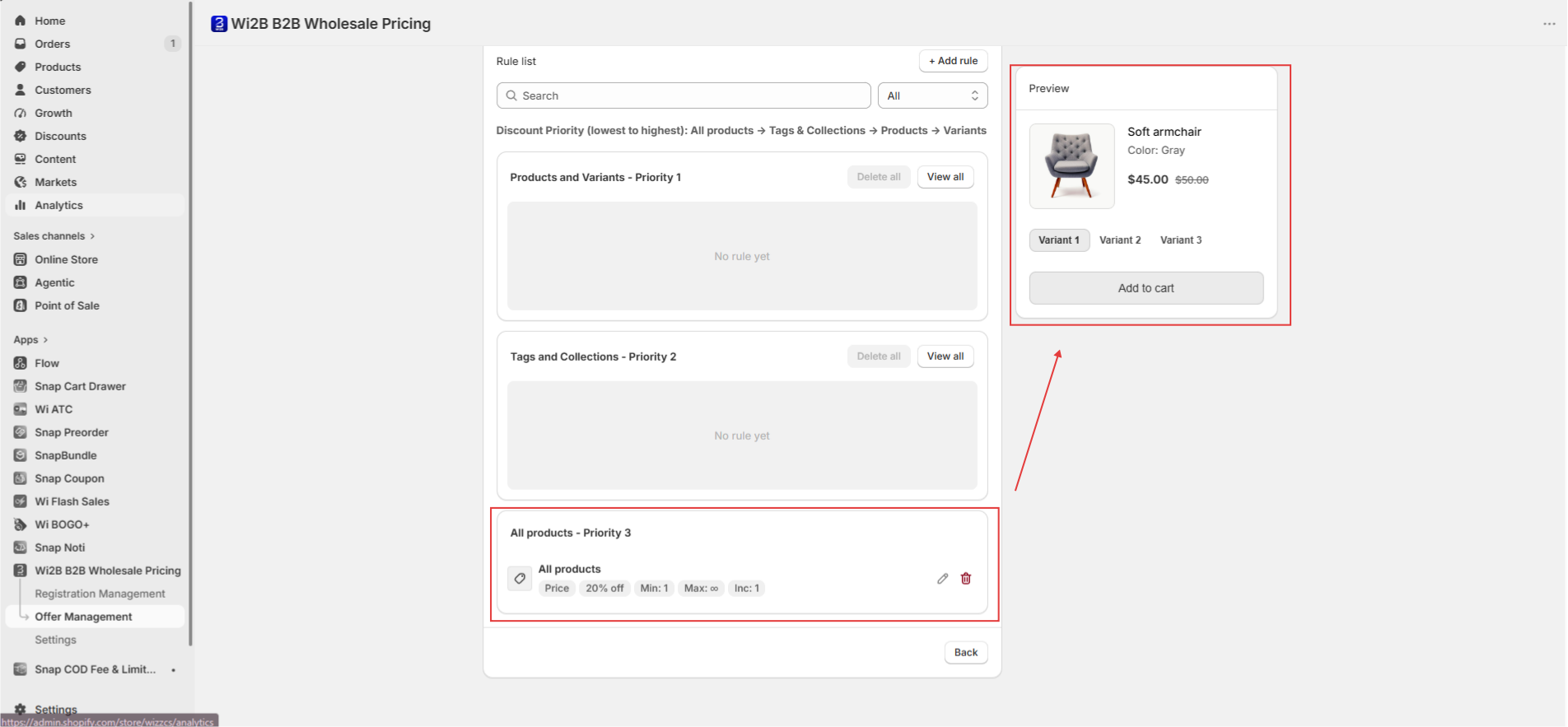
- Open the Wi2B Wholesale Pricing B2B app > go to Offer Management > select Pricing & Quantity and create a new wholesale discount rule (e.g., 20% off all products).
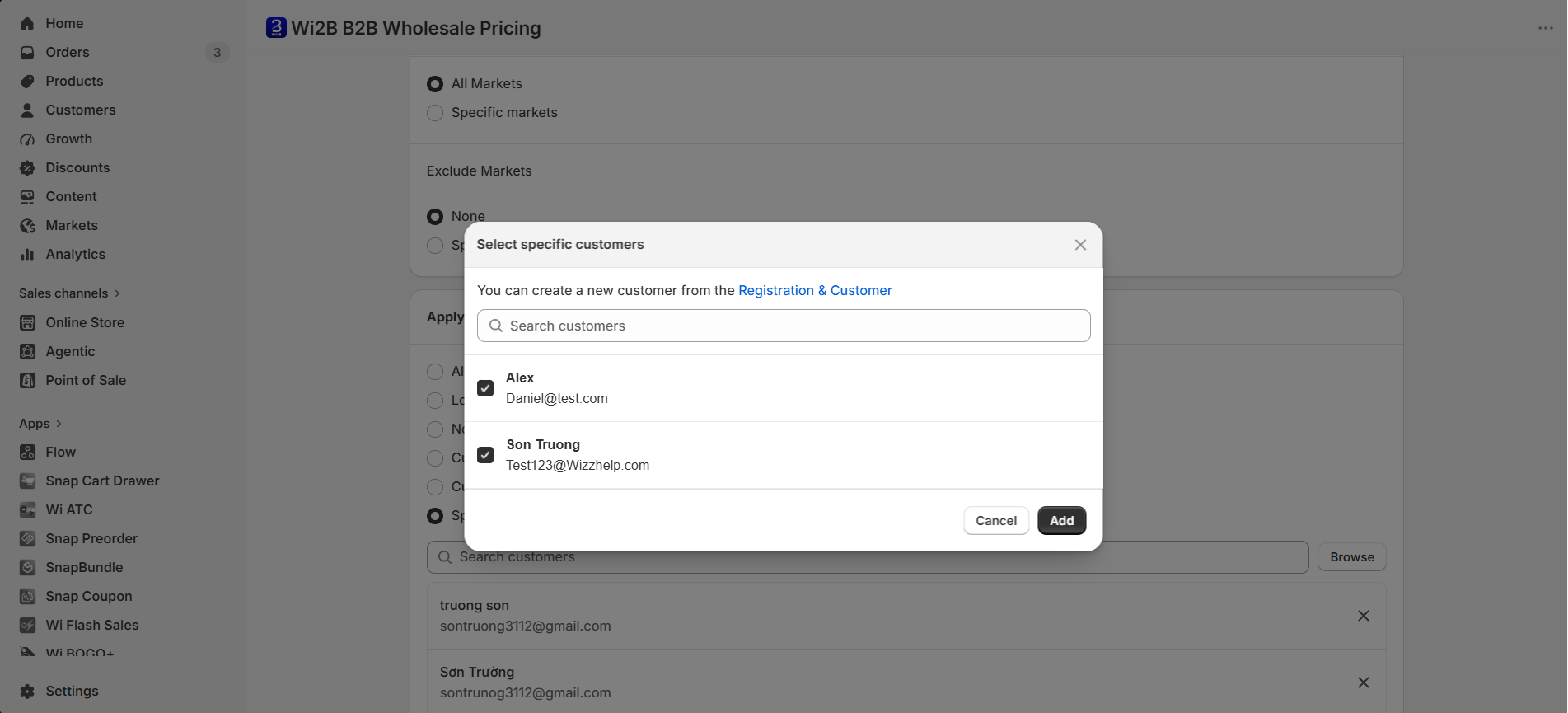
- In the rule settings under the Apply to Customers section, assign this rule to your test account by selecting Specific customers and checking the box next to your test account name, or by selecting Customer tags and adding a specific tag (like
wi2b-b2b) to your test customer in Shopify Admin. - Ensure the related Offer Set is saved with the status set to Active.
Step 3: Enable the Wi B2B App Embed on the Duplicate Theme
Now, you will turn on the Wi2B features specifically on your duplicated test theme.
- In your Draft themes list, find your duplicated theme and click Edit theme.
- In the theme editor sidebar on the left, click the App embeds icon (the block/plug icon).
- Search with WI B2B in the list and toggle the switch to ON (showing green/blue).
- Click Save in the top right corner.
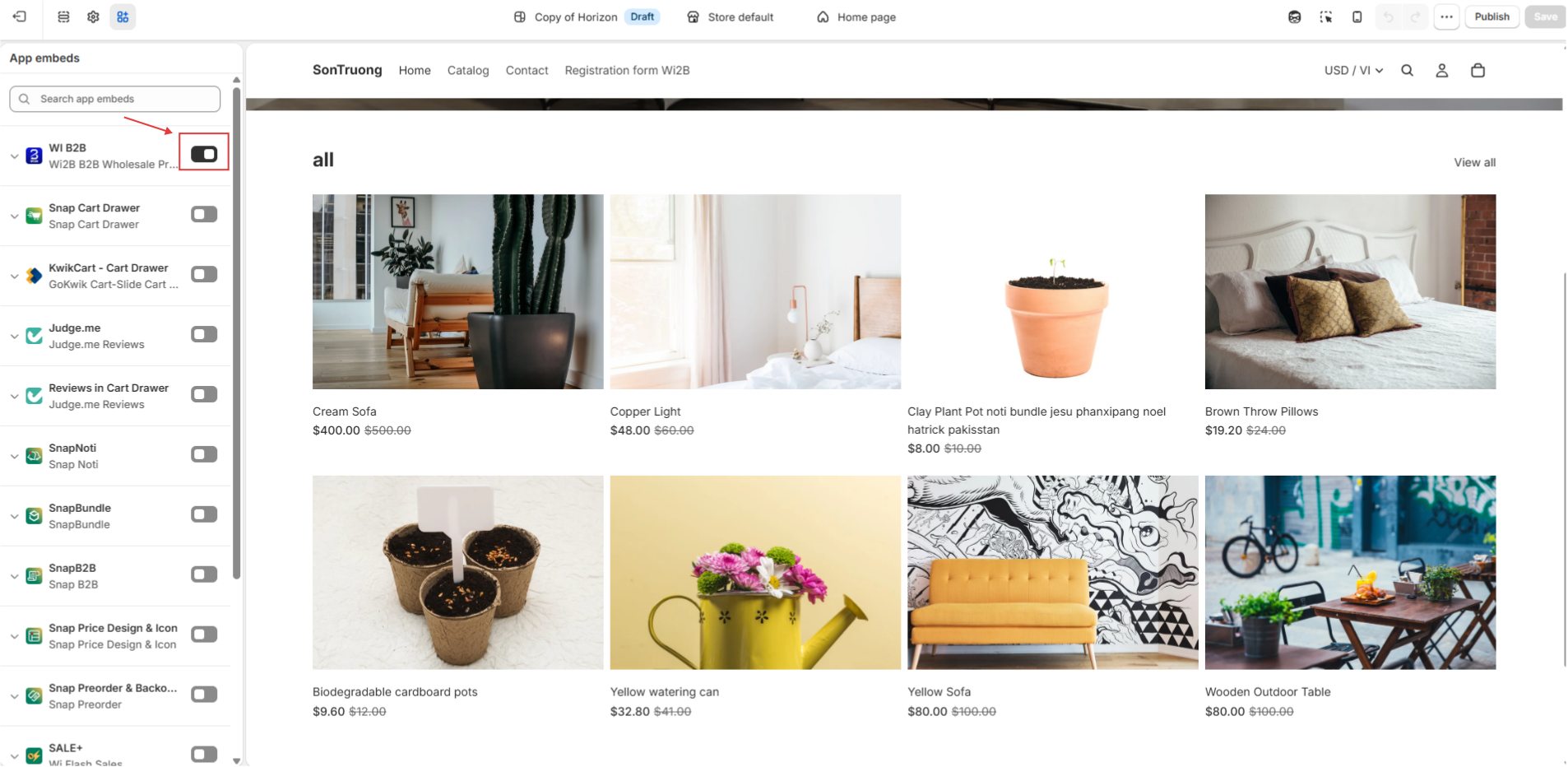
Step 4: Preview Your Test Theme
To view the storefront using your duplicated theme, use the Shopify theme preview feature:
- In the theme editor customizer (top right header), click the three-dot menu (...).
- Select Preview.
-
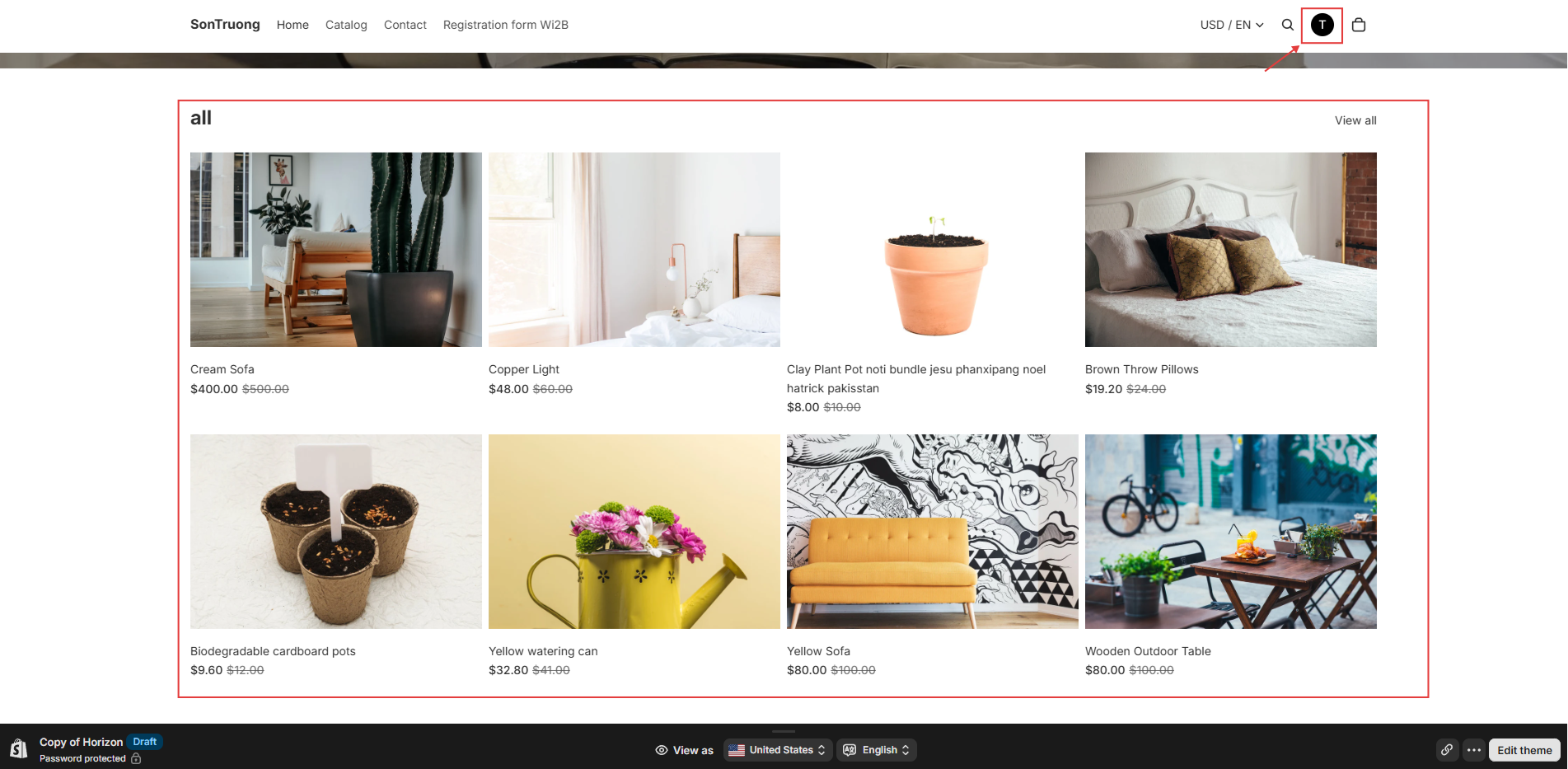
A new browser tab will open showing your storefront with a preview bar at the bottom indicating you are viewing a draft theme copy.
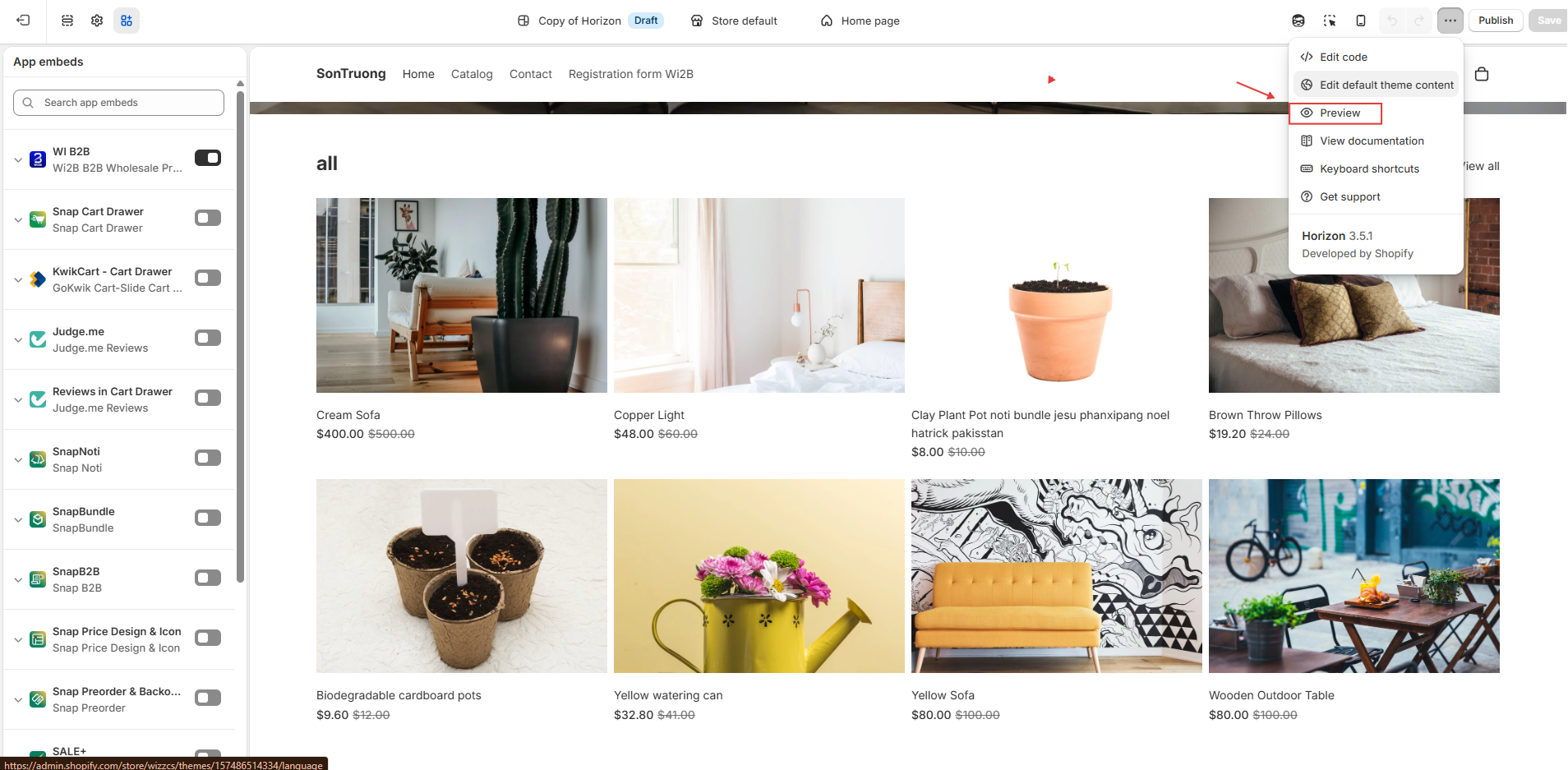
Step 5: Log In and Verify the Wholesale Setup
Log in to the storefront as a wholesale buyer to confirm the discounts are applied correctly.
- On the previewed storefront tab from Step 4, navigate to the Account / Login page.
- Sign in using the test email address you configured in Step 2.
- Go to the Catalog or product detail page. You should see the wholesale pricing successfully applied, showing the retail price crossed out and the discounted wholesale price active. You can verify you are logged in by checking the user avatar in the top right.