
How to Hide Prices & Require Login for Wholesale Buyers
Protect your margins and create an exclusive wholesale experience by hiding prices from retail shoppers. With the Hide Price feature, you can easily replace prices with custom text (like "Login to View Price") and a registration button, turning casual visitors into qualified B2B leads.
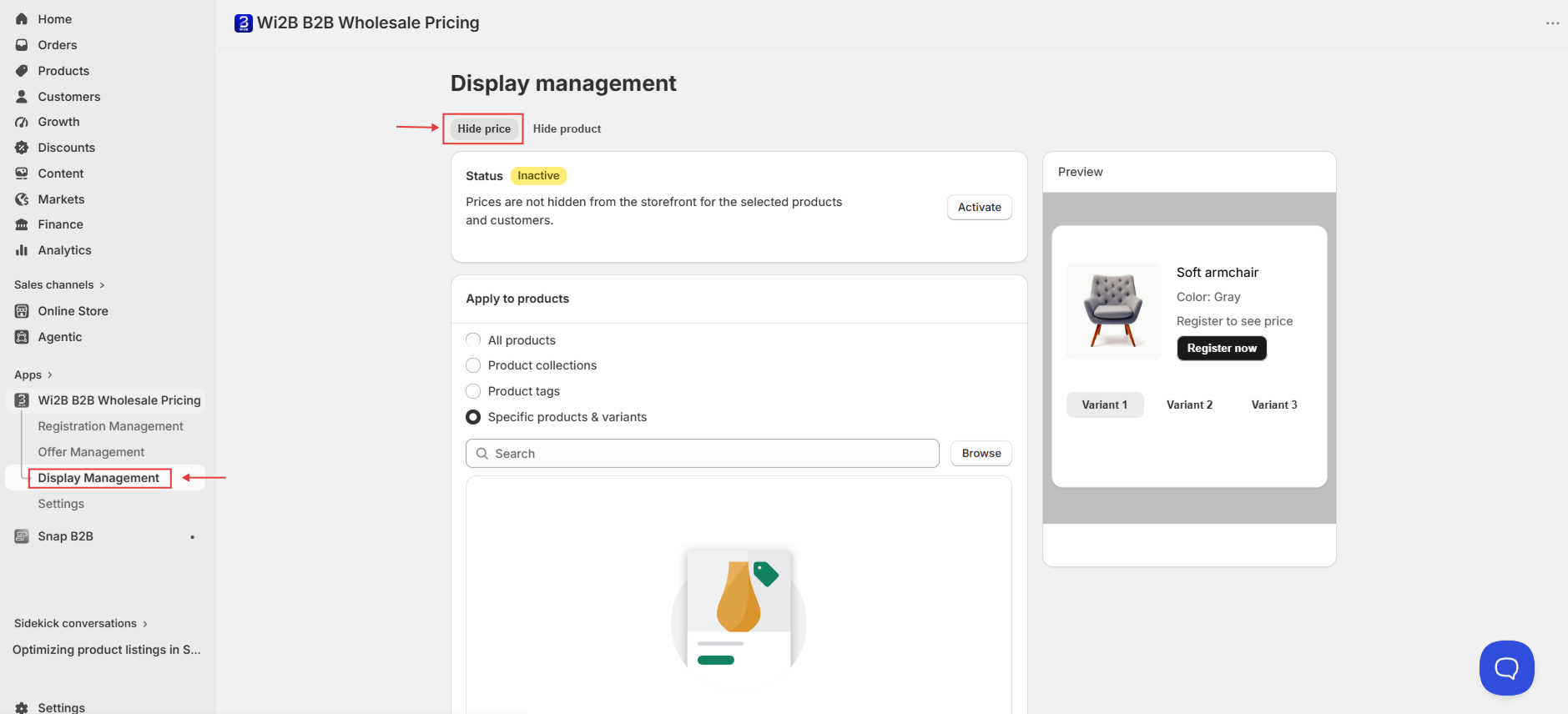
Step 1: Go to Display Management
From your Shopify admin, open the Wi2B B2B Wholesale Pricing app and click Display Management in the left sidebar. Make sure you are on the Hide price tab.
Step 2: Select Which Products to Apply This Rule To
Under Apply to products, choose one of the following options:
- All products — Hides prices across your entire catalog.
- Product collections — Hides prices for all products within selected collections.
- Product tags — Hides prices for products that carry specific tags.
- Specific products & variants — Hides prices for individual products or selected variants only.
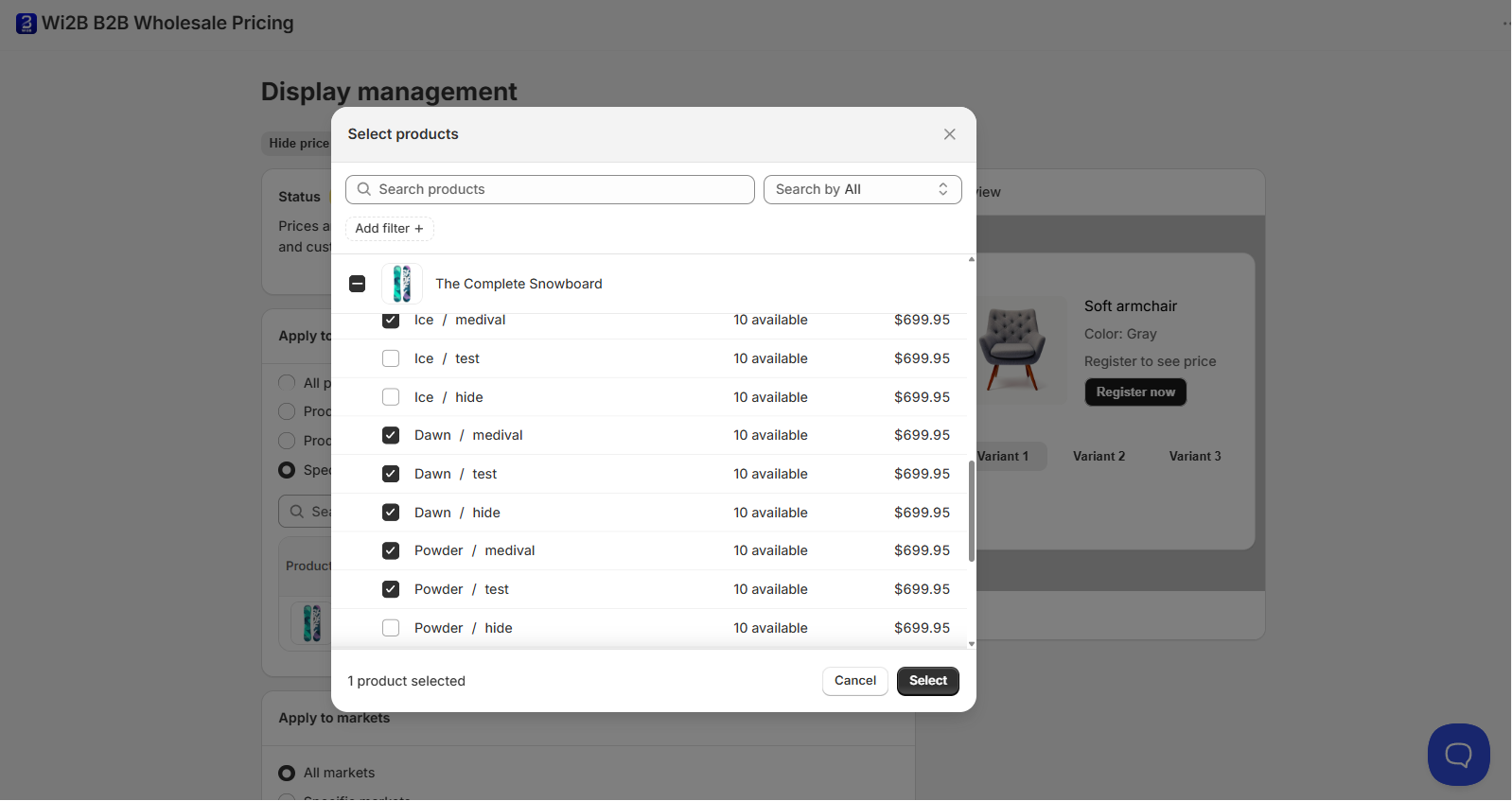
If you choose Specific products & variants, click Browse to open the product selector. You can select the entire product or check individual variants.
Step 3: Select Which Markets to Apply This Rule To
Under Apply to markets, choose:
- All markets — Applies to all your Shopify markets.
- Specific markets — Applies only to the markets you select.
You can also use Exclude markets to carve out specific markets from this rule.
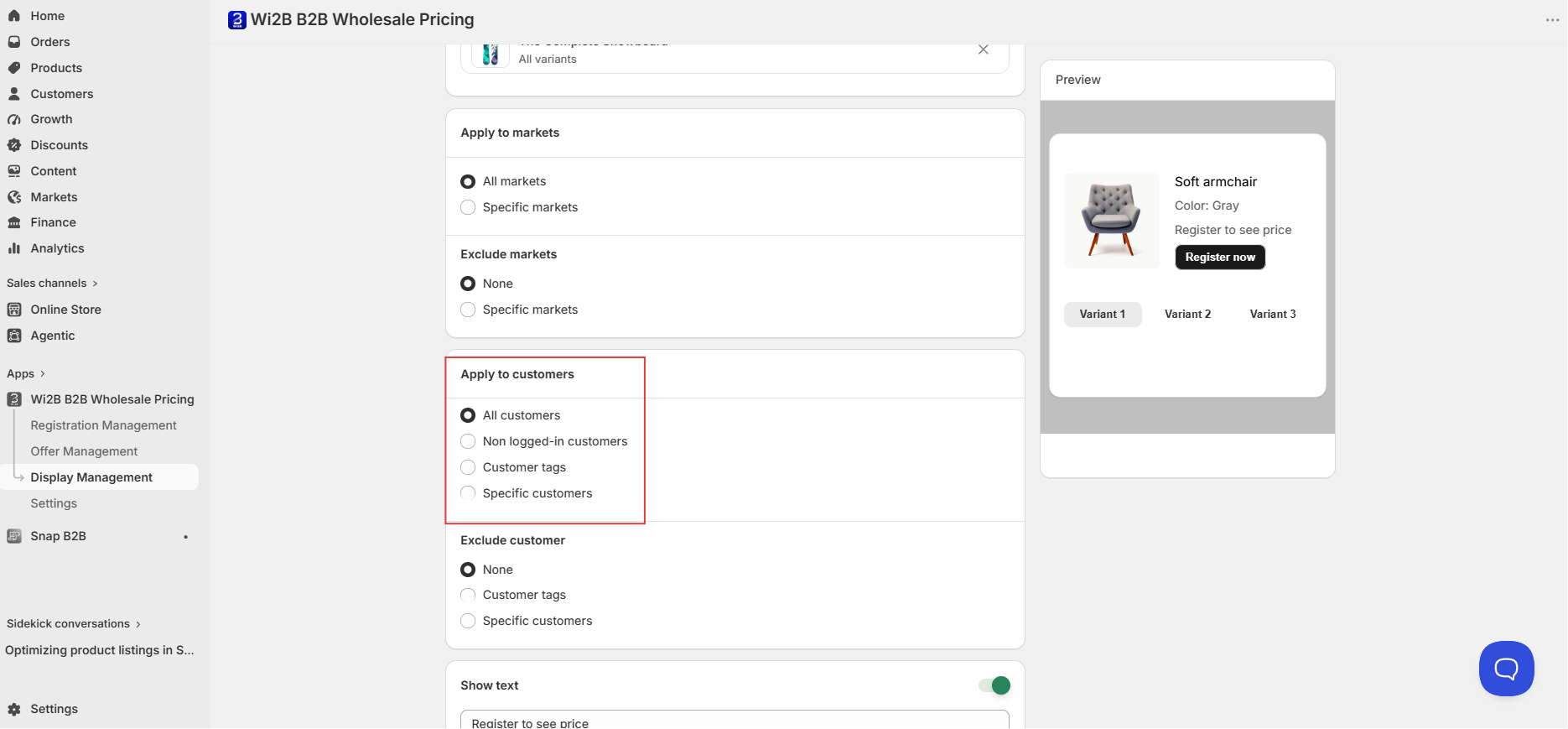
Step 4: Select Which Customers to Apply This Rule To
Under Apply to customers, choose:
- All customers — Applies to every visitor on your store.
- Non logged-in customers — Applies only to visitors who are not logged in.
- Customer tags — Applies to customers who carry specific tags.
- Specific customers — Applies to individual customer accounts you select.
You can also use Exclude customer to exempt specific customer groups from this rule.
Step 5: Configure the Show Text and Registration Button (Optional)
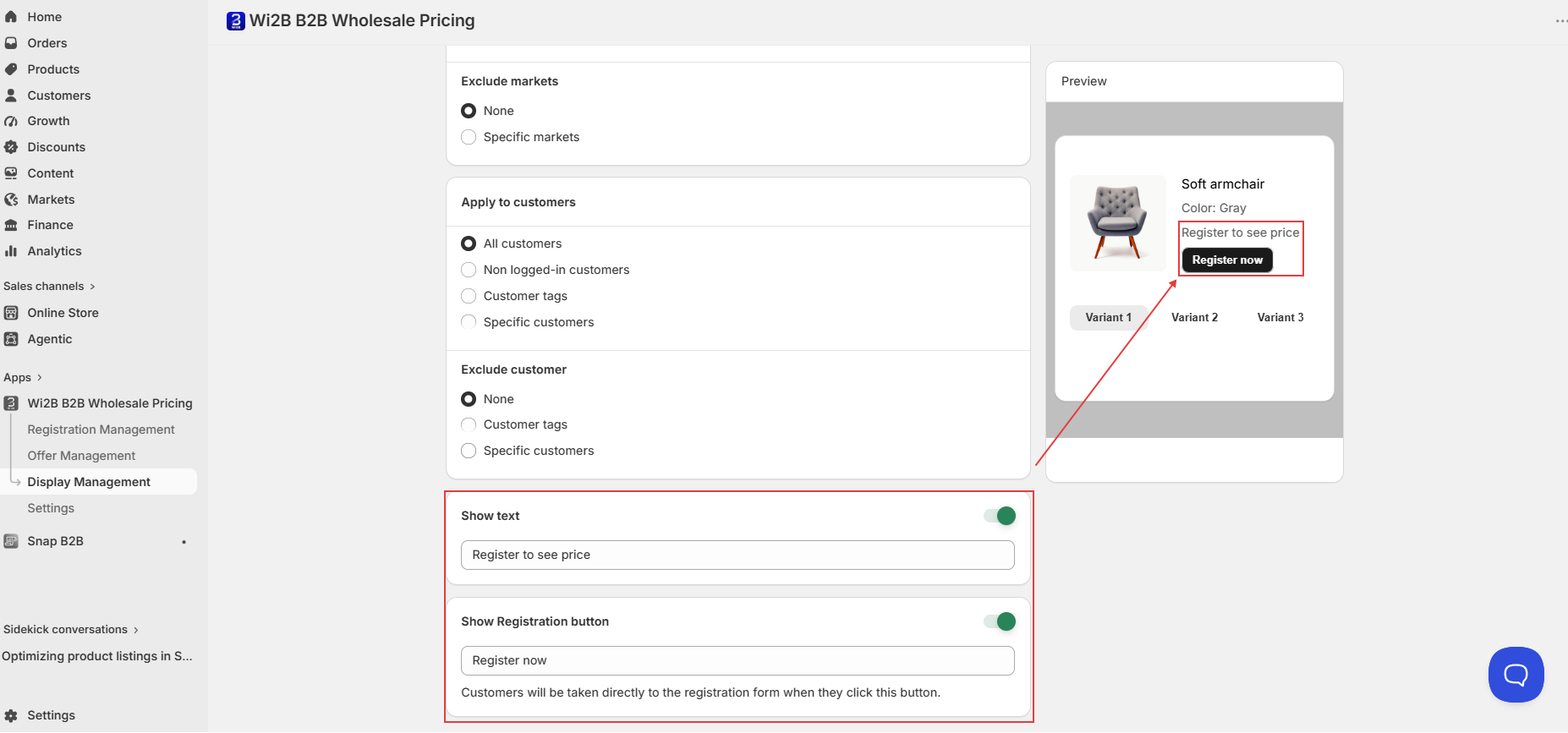
Scroll down to find two optional display settings:
Show text Toggle this on to display a short message in place of the price. The default text is Register to see price . You can customize this to anything you like.
Show Registration button Toggle this on to display a button below the price area. The default label is Register now . When a visitor clicks this button, they are taken directly to your Wholesale Registration Form.
Both the message and the button text are fully customizable to match your store's tone.
Step 6: Activate the Rule
Once you have finished configuring all settings, click Activate at the top of the page. The status badge will turn green and display Active.
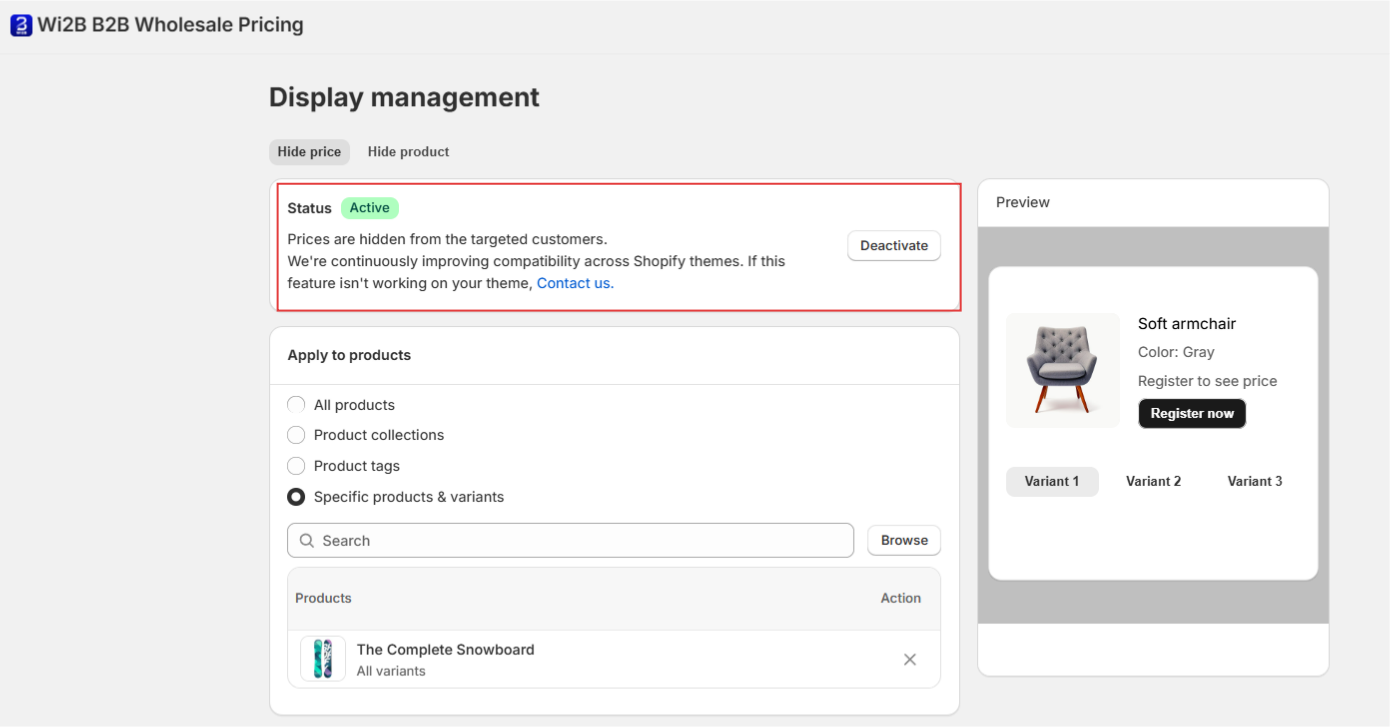
Note: Wi2B is continuously improving compatibility across Shopify themes. If Hide Price is not displaying correctly on your theme, please contact our support team.
What Your Customers Will See
Once Hide Price is active, here is what targeted visitors will experience:
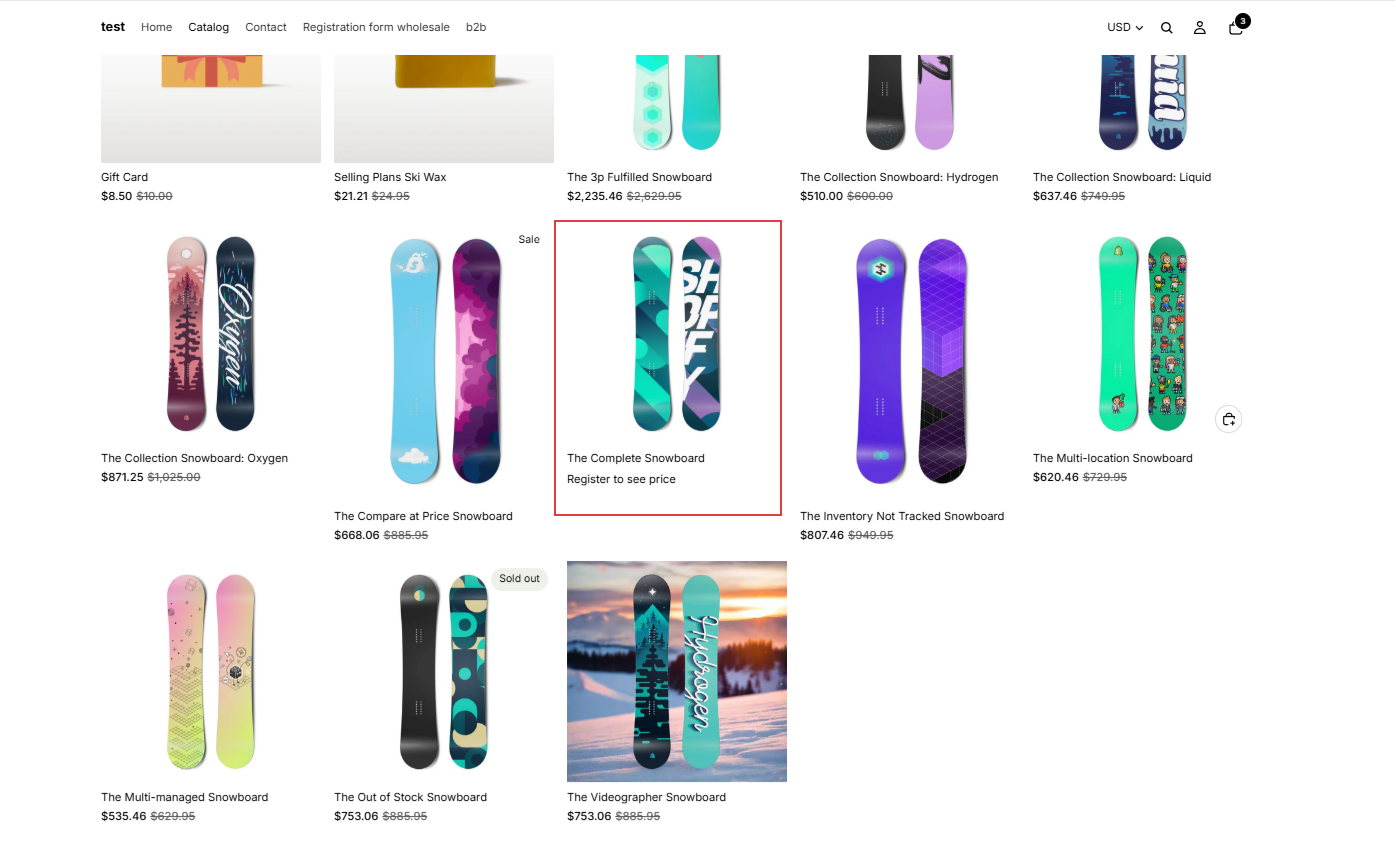
On collection and shop pages: The product price is hidden from the product card.
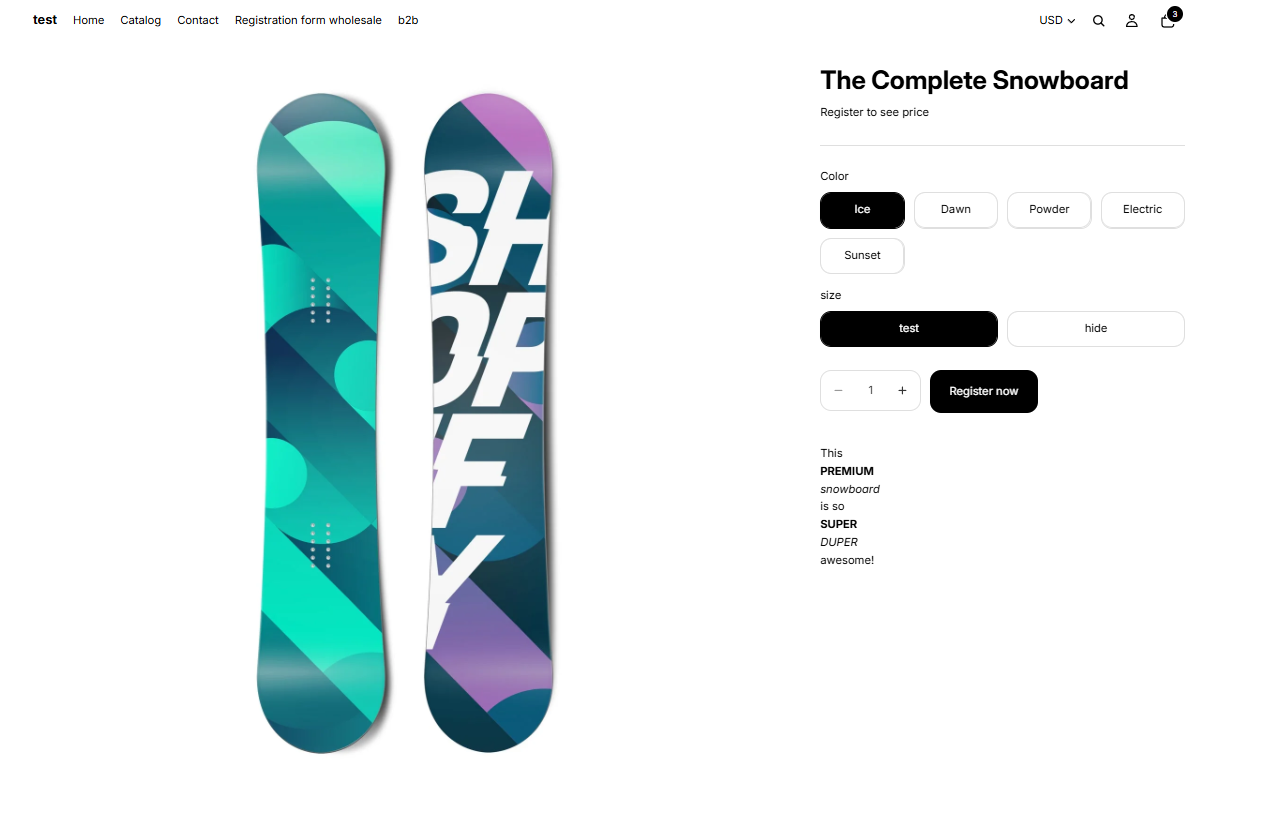
On the product page: The price area is replaced by your custom message (e.g., Register to see price) and the Register now button.
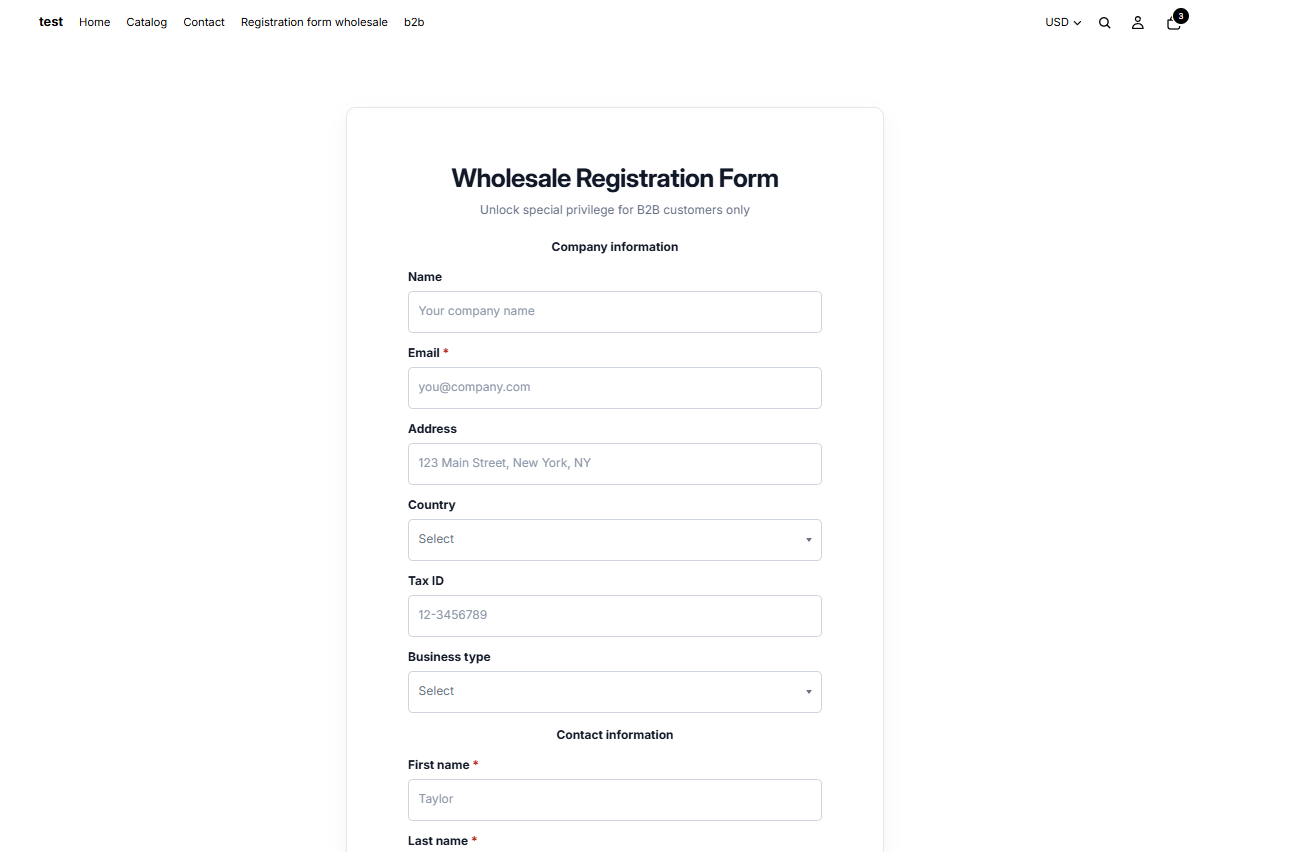
After clicking Register now: The visitor is redirected directly to your Wholesale Registration Form, where they can apply to become a wholesale buyer.
Need More Help?
If you experience any issues or have questions, please don't hesitate to contact our support team at help@wi2b.com or through our live chat — we're here to assist you!