
How to Hide Products & Specific Variants from Customers
Create a tailored shopping experience and manage product availability by hiding specific items or individual variants from selected visitors. With the Hide Product feature, you can control visibility at a granular level, ensuring customers only see the products and variants relevant to them.
Step 1: Go to Display Management
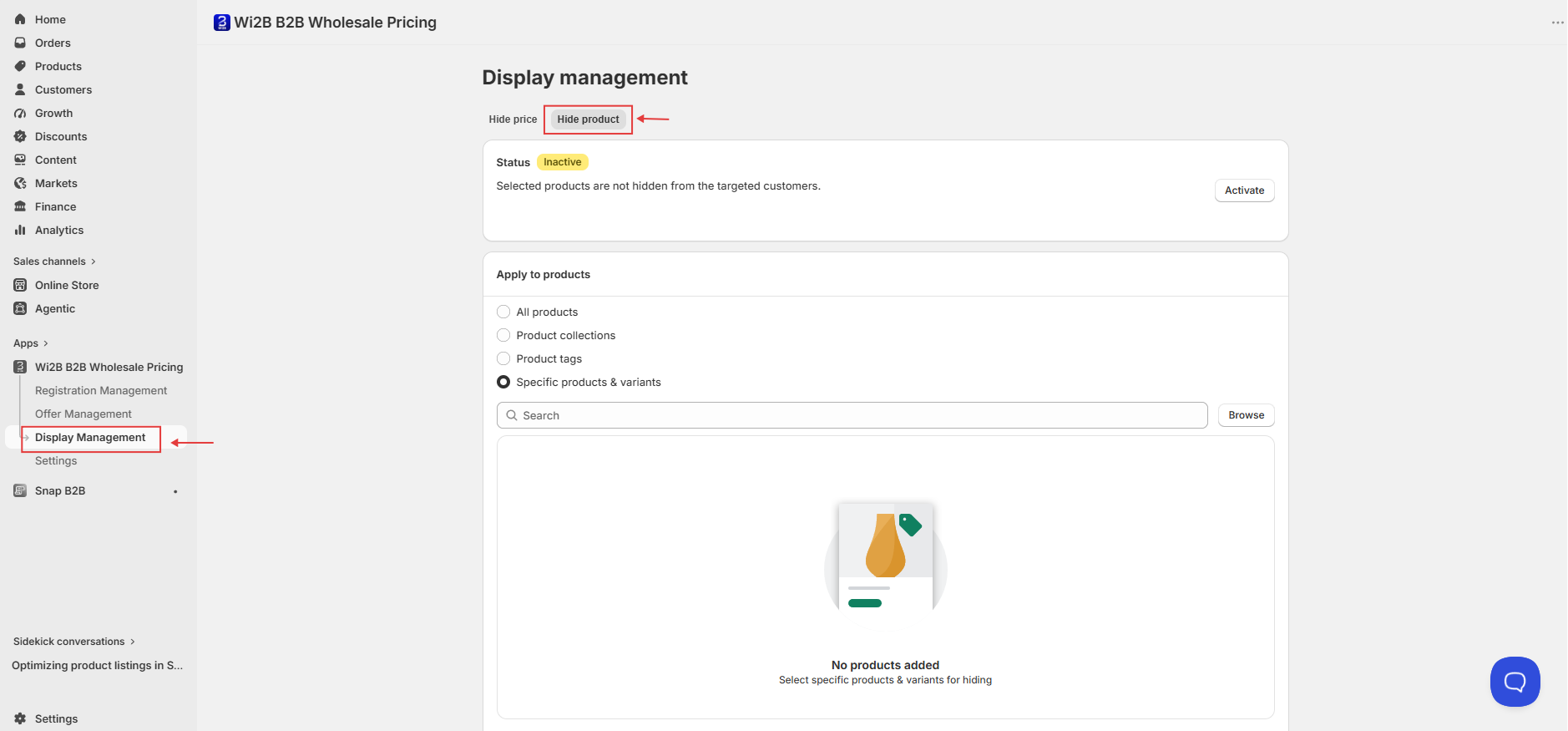
From your Shopify admin, open the Wi2B B2B Wholesale Pricing app and click Display Management in the left sidebar. Click on the Hide product tab.
Step 2: Select Which Products or Variants to Hide
Under Apply to products, choose one of the following options:
- All products — Hides all products on your store from the targeted customer group.
- Product collections — Hides all products within selected collections.
- Product tags — Hides products carrying specific tags.
- Specific products & variants — Hides individual products or selected variants only.
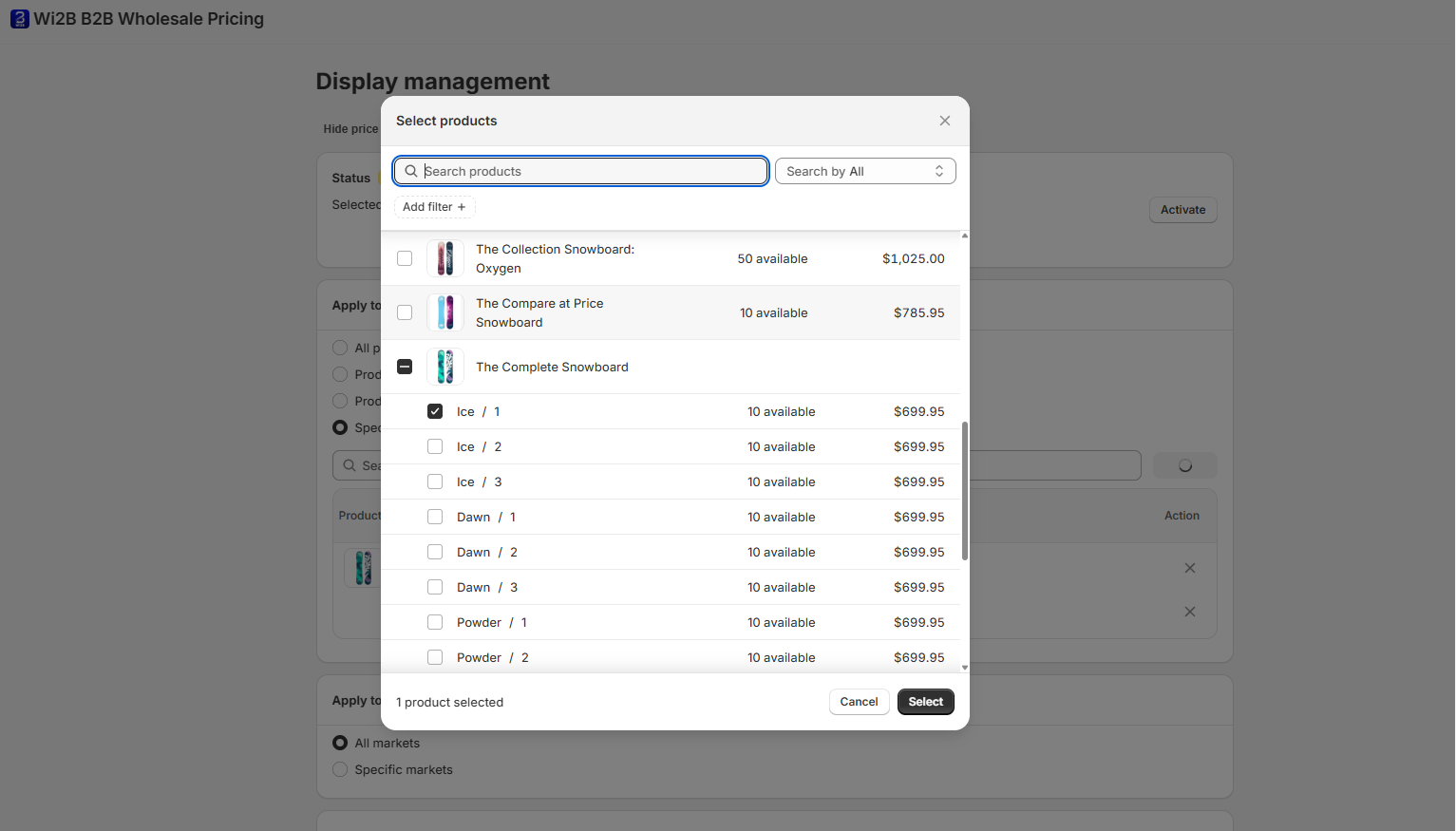
If you choose Specific products & variants, click Browse to open the product selector. You can check the box for the entire product or select specific variants only (for example, only the Ice / 1 variant).
Step 3: Select Which Markets to Apply This Rule To
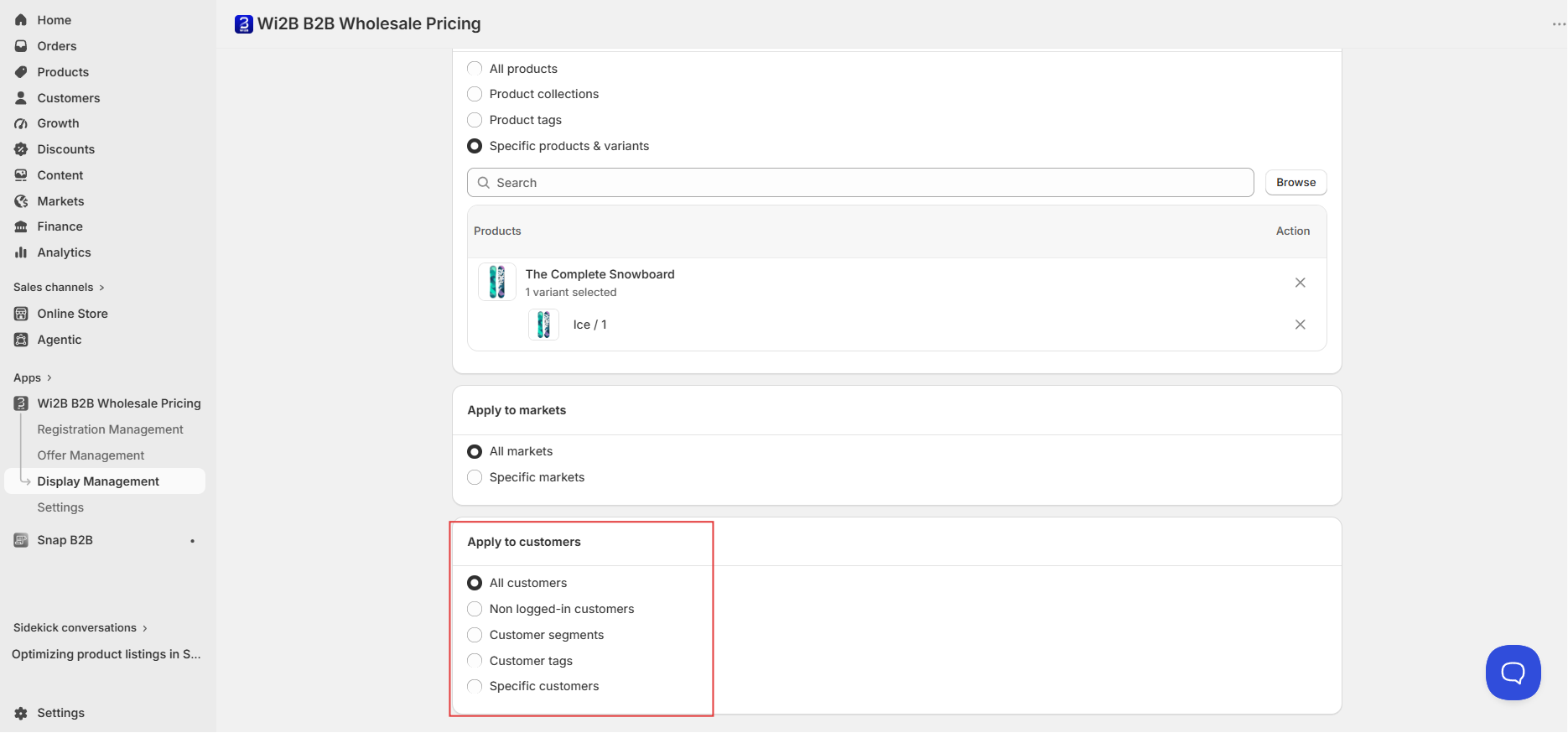
Under Apply to markets, choose:
- All markets — Applies to all your Shopify markets.
- Specific markets — Applies only to the markets you select.
You can also use Exclude markets to make sure the rule does not apply to selected markets.
Step 4: Select Which Customers This Rule Applies To
Under Apply to customers, choose which visitors will be restricted from seeing the selected products/variants:
- All customers — Hides the items from every visitor on your store.
- Non logged-in customers — Hides the items only from visitors who are not logged in.
- Customer tags — Hides the items from customers with specific tags.
- Specific customers — Hides the items from individual customer accounts you select.
Step 5: Activate the Rule
Once your settings are configured, click Activate at the top of the page. The status badge will turn green and display Active.
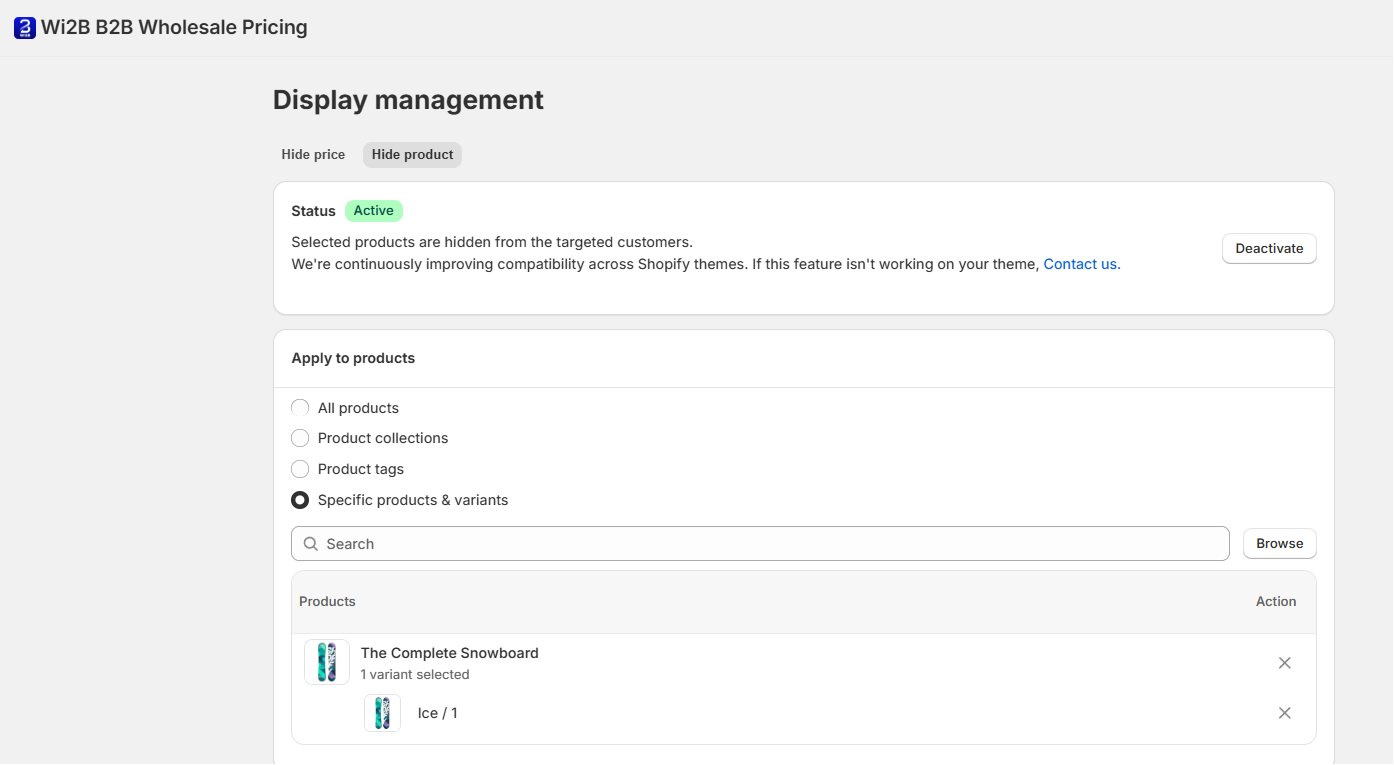
Note: Wi2B is continuously improving compatibility across Shopify themes. If Hide Product is not displaying correctly on your theme, please contact our support team.
What Your Customers Will See
Once Hide Product is active, targeted visitors will experience the following storefront behavior:
When an entire product is hidden:
The product is completely hidden from the storefront. It will not appear on collection pages, shop pages, or in search results.
When only specific variants are hidden:
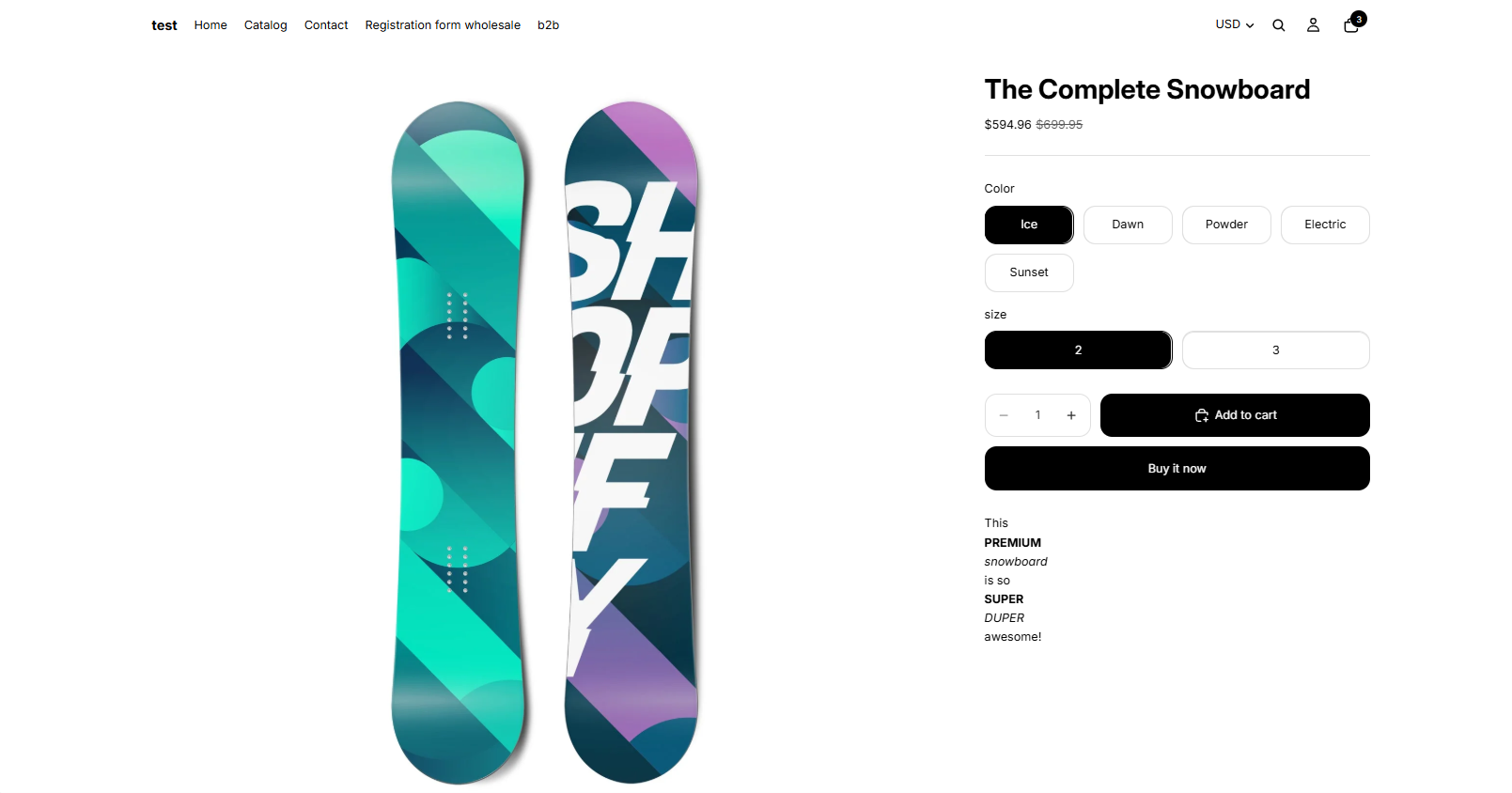
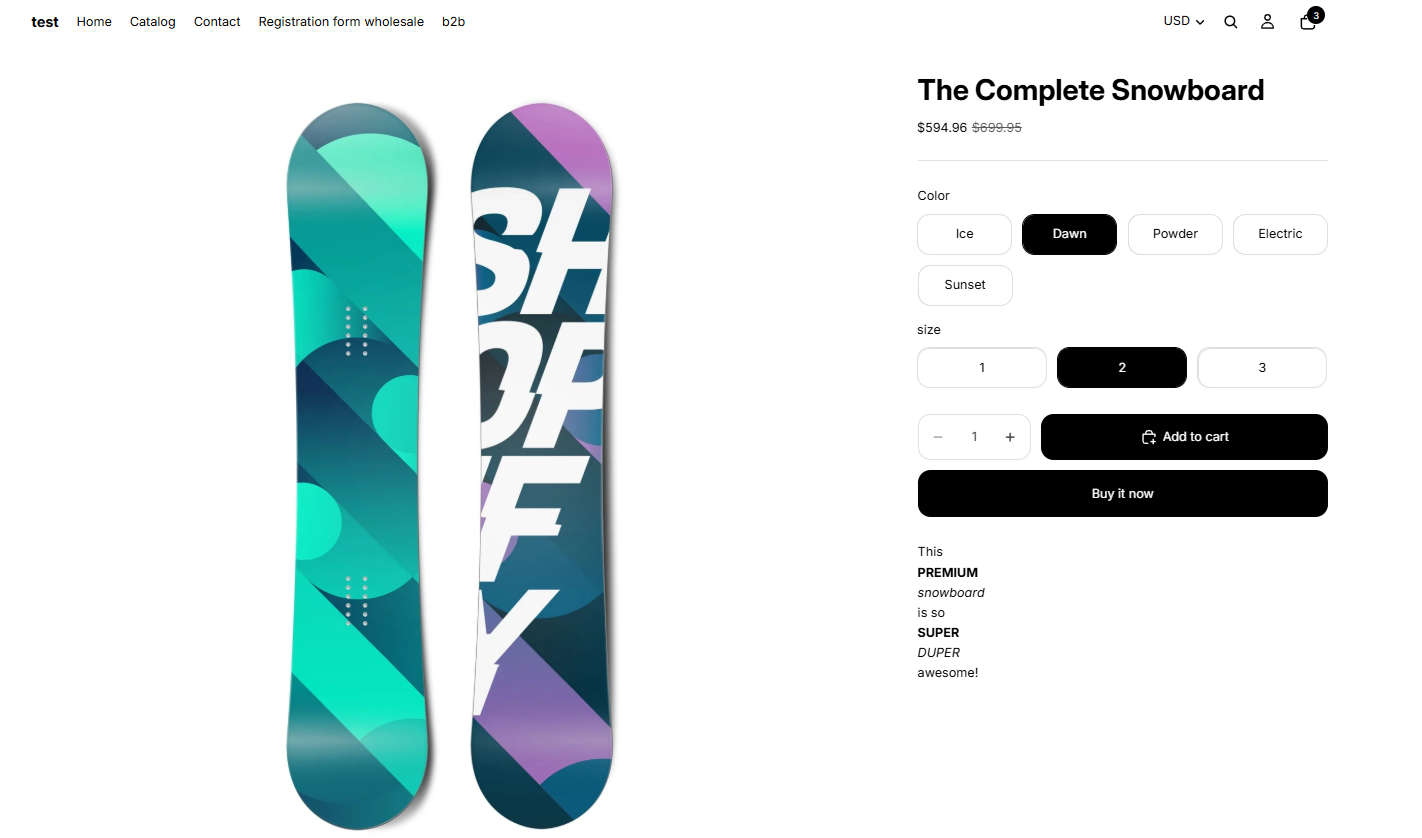
To prevent breaking your theme's variant selector, the app dynamically updates the storefront swatches/options:
- Selecting a restricted attribute: If a customer selects an option linked to a hidden variant (e.g., Color:
Ice), the restricted secondary options (e.g., Size:1) will be completely hidden from the selector. - Selecting an unrestricted attribute: If the customer switches to an option that is not hidden (e.g., Color:
Dawn), the secondary option (e.g., Size:1) will become visible and purchasable again.
Need More Help?
If you experience any issues or have questions, please don't hesitate to contact our support team at help@wi2b.com or through our live chat — we're here to assist you!