
Why Aren't B2B Wholesale Prices Displaying on My Storefront?
If your approved B2B customers do not see their custom wholesale pricing on your storefront, please check the following 4 common configuration steps to resolve the issue.
1. Verify the WI B2B App Embed is Enabled
Make sure the app script is enabled in your active Shopify theme:
- From your Shopify Admin, click Online Store (this will automatically open the Themes list page).
- Click the Edit theme button next to your active theme.
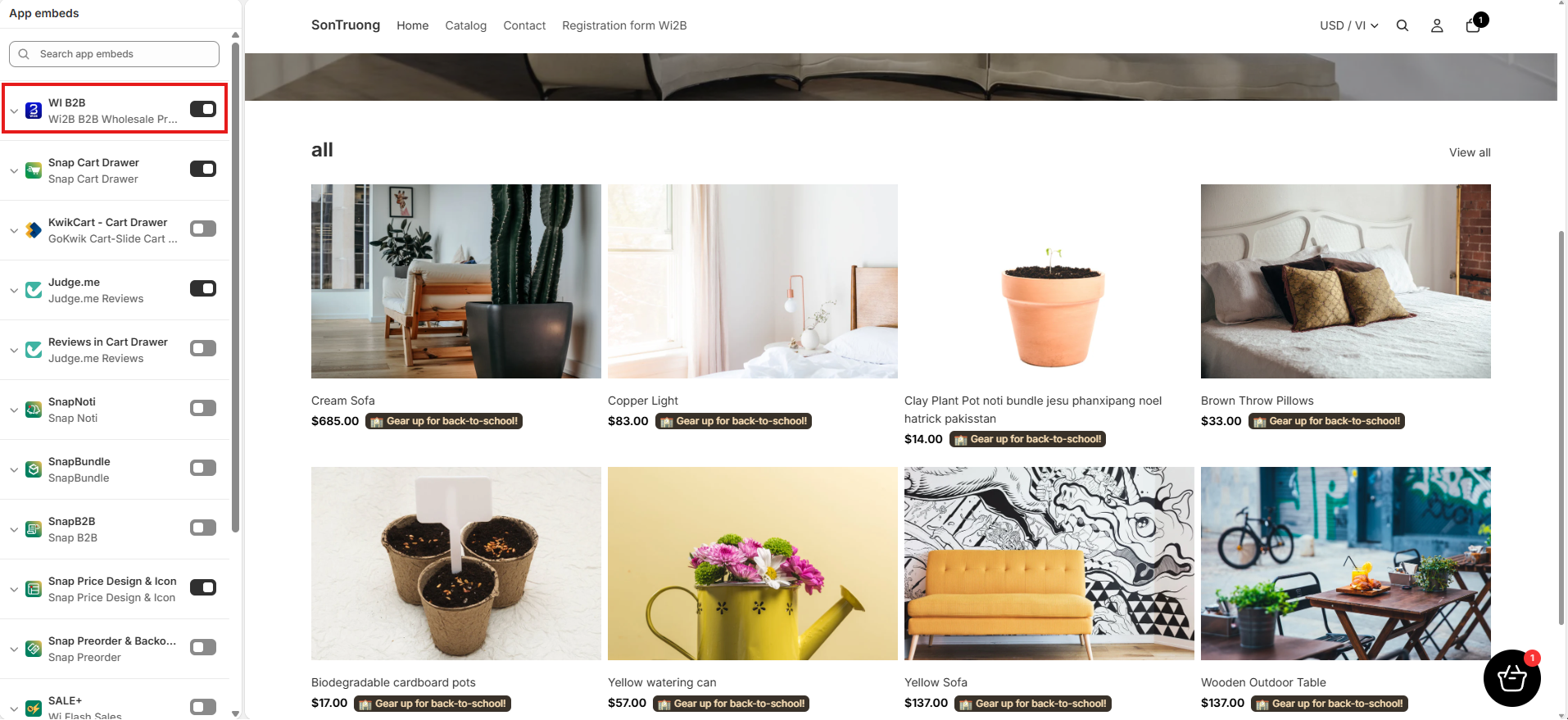
- Go to the App embeds tab in the left sidebar.
- Locate WI B2B in the list and toggle it ON.
- Click Save in the top right corner.
-
For detailed instructions, read: How to Set Up and Test Wi2B in Test Mode
2. Confirm the Offer Set Status is Active
Ensure the discount rule applying to the products is currently active:
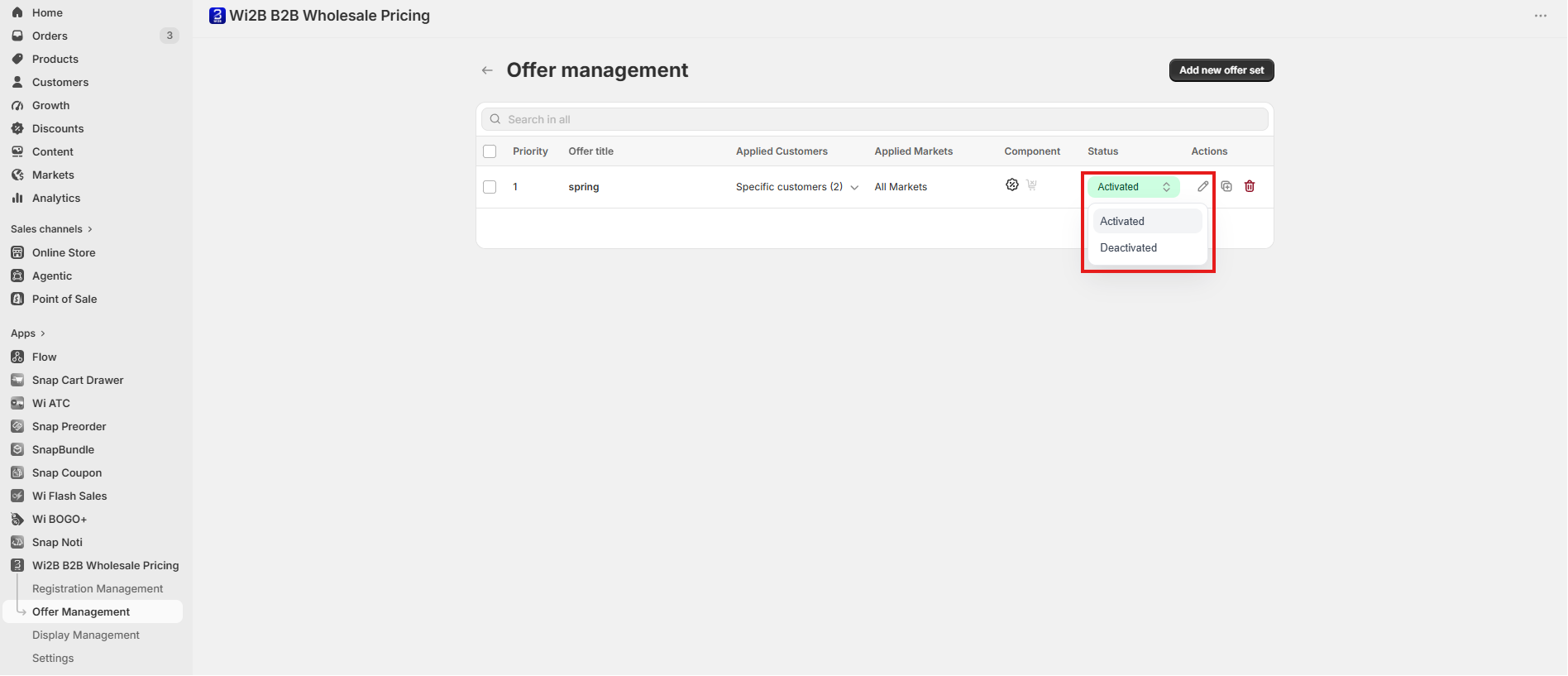
- In the Wi2B app, go to Offer Management.
- Verify that the related Offer Set displays an Active status badge (green).
- If the status is deactivated, edit the Offer Set and click the Activate button to enable the rule.
- For detailed instructions, read: Setting Up and Managing Your Offer Sets with Wi2B
3. Check Customer Login and Tags
Wholesale prices will only display for logged-in B2B customers who match your rule settings:
- Confirm that the customer is logged in to their storefront account.
-
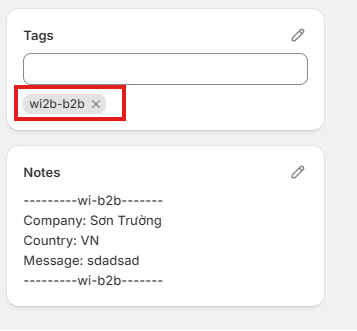
In your Shopify Admin > Customers, verify that the customer has the correct tag assigned (e.g., the tag specified in the Apply to Customers section of your active Offer Set).
4. Check for Third-Party App Conflicts
Other active B2B or wholesale discount apps can conflict with Wi2B scripts:
- Temporarily deactivate other wholesale pricing apps in your Shopify Admin.
- Clear your browser cache and refresh the storefront page to test.
Need More Help?
If you experience any issues or have questions, please don't hesitate to contact our support team at help@wi2b.com or through our live chat - we're here to assist you!